> For the complete documentation index, see [llms.txt](https://docs.integral.link/size/llms.txt). Markdown versions of documentation pages are available by appending `.md` to page URLs; this page is available as [Markdown](https://docs.integral.link/size/getting-started/liquidity-provider/claim-rewards.md).
# Claim Rewards
{% hint style="info" %}
Please note that Integral is not giving out $ITGR to liquidity providers at the moment. If you provided liquidity to Integral before October 2023, please follow the guideline below to claim your token rewards.
{% endhint %}
ITGR rewards were distributed to all LPs who stake their liquidity pool tokens. Rewards are given on a pro-rata basis each block and can be claimed at any time. You can read the following documentation to learn about the ongoing rewards program.
{% content-ref url="/pages/l2rTc68sgUtPC2zIhY40" %}
[LP Farming](/size/token/lp-farming.md)
{% endcontent-ref %}
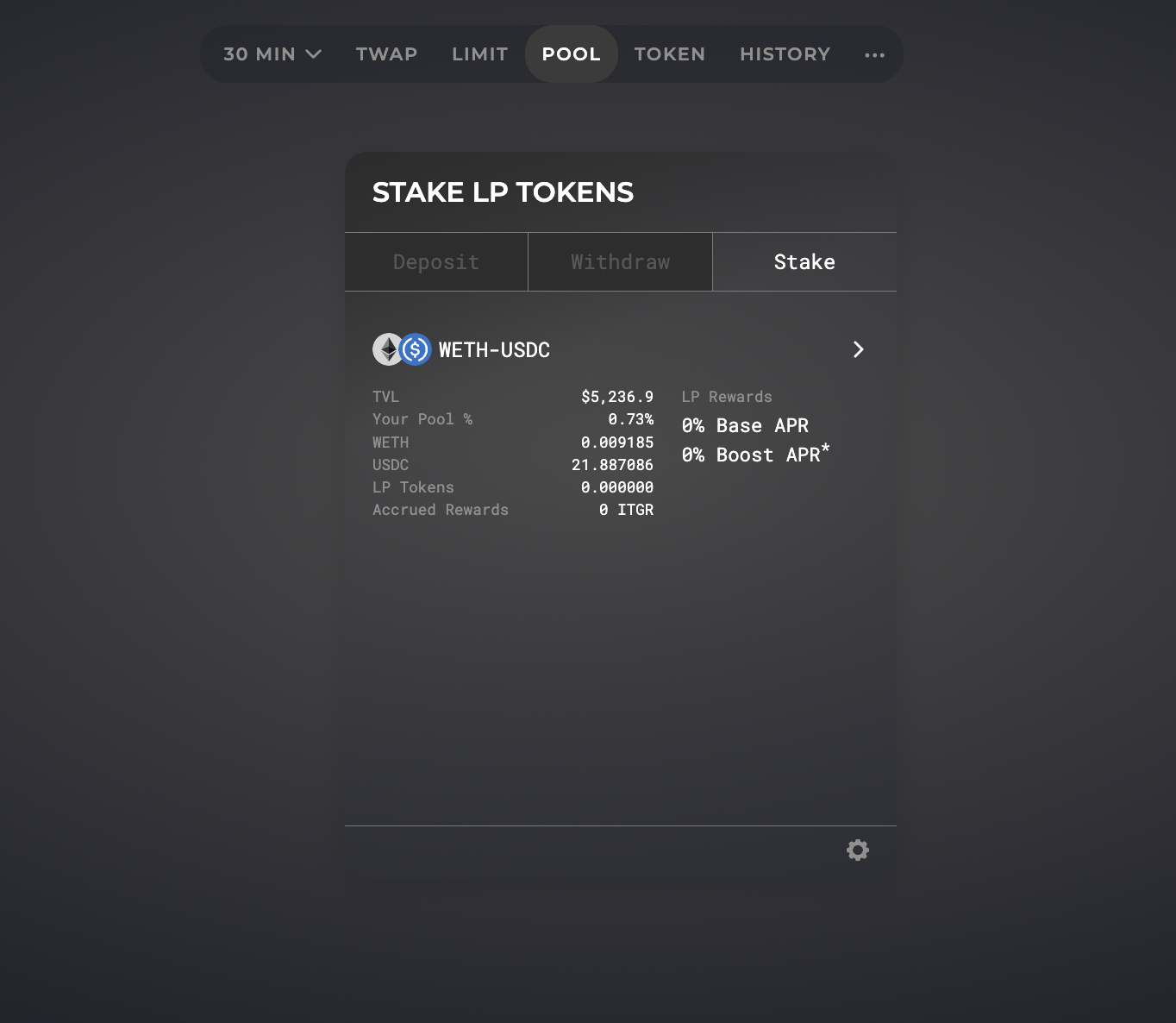
After [making a deposit on the the pool page](/size/getting-started/liquidity-provider/add-liquidity.md) and receiving LP tokens, navigate to the “Stake” tab, select the relevant pool and then stake your tokens.
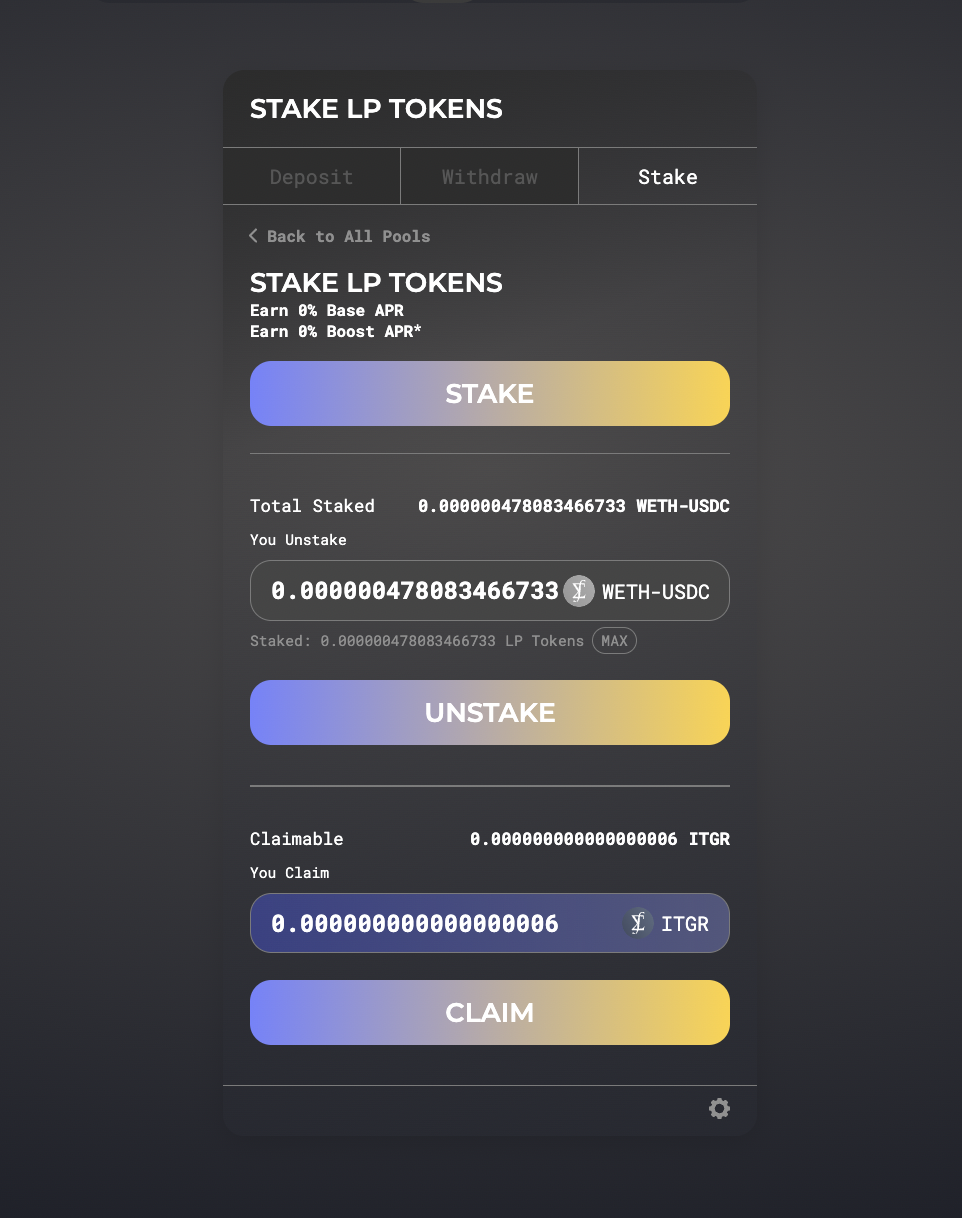
When you select a pool to stake, click the “Stake” button. Input the amount of LP tokens you want to stake, or click Max to stake all of your available LP tokens.
You will need to approve the LP tokens for deposit into the staking contract. Then click “Confirm Stake” to stake your tokens.
Once the transaction is confirmed, you will start accruing ITGR rewards every block. You can claim your rewards at any time.
If you want to unstake, input the amount of LP tokens and click Unstake.